Codle - SOCROOM
AI Powered Conversational Learning Platform
Overview
SaaS
Oct. 2025 - Dec. 2025
Web/Mobile
Role
UX/UI
Interaction Design & Motion
Tools
Figma
Protopie
Codle is a browser-based coding education platform that enables teachers and students to manage coding practice, classes, and learning progress in one place.
Overview
Codle is an AI-powered edtech platform that began with Python and block-based coding education and has since evolved into a multi-subject learning tool. Building on the existing platform, a new conversational AI learning service, Scroom was launched to support students’ cognitive growth.
As part of this process, the teacher verification flow was streamlined and gamification elements were introduced to increase student engagement and immersion, resulting in an 80% increase in user acquisition.
Problems & Challenges
The existing AI-powered conversational learning service was in operation, but usage data showed a decline in new user acquisition and a lack of sustained usage and repeat engagement among existing users.
How might we increase new user acquisition while simultaneously activating repeat usage among existing users?
Understand
Key insights for service improvement were identified
through interviews with existing users.
1
The teacher verification process during sign-up takes too long.
2
Student learning engagement and interaction are not sufficiently activated.
3
Dashboards used in the existing Codle service cannot be seamlessly reused in the new service.
Goals
By simplifying the teacher verification process, we aim to lower the barrier to entry for new users, improve the conversational AI learning experience to increase student engagement, and enable efficient student management by integrating existing dashboards.

Problem Solves
Simplified
teacher verification
Before
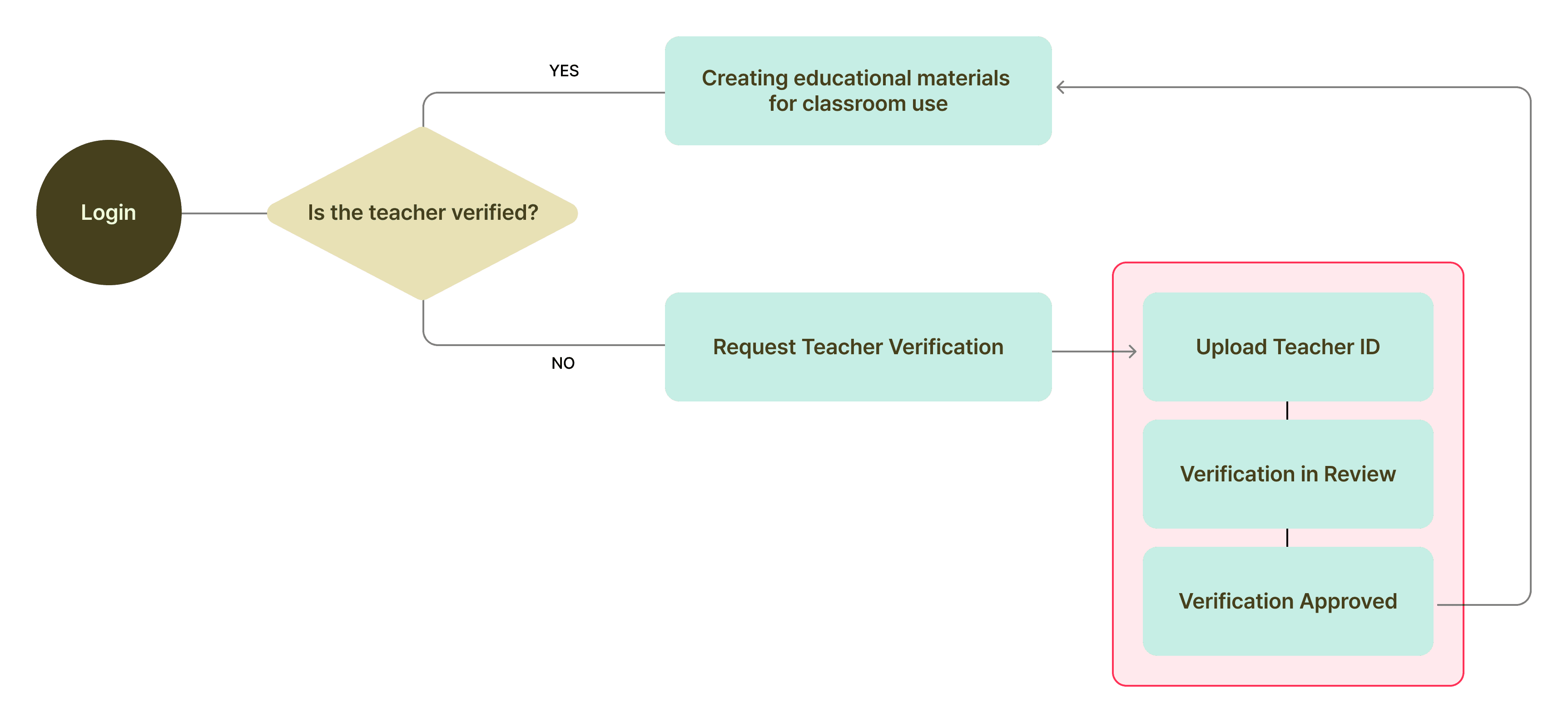
Teacher verification was a required step, but because it was handled manually by the operations team, it could take up to 48 hours to complete. Since automating the verification process was not feasible in the short term, an alternative verification approach was needed to bridge this gap without negatively impacting the user experience.
After
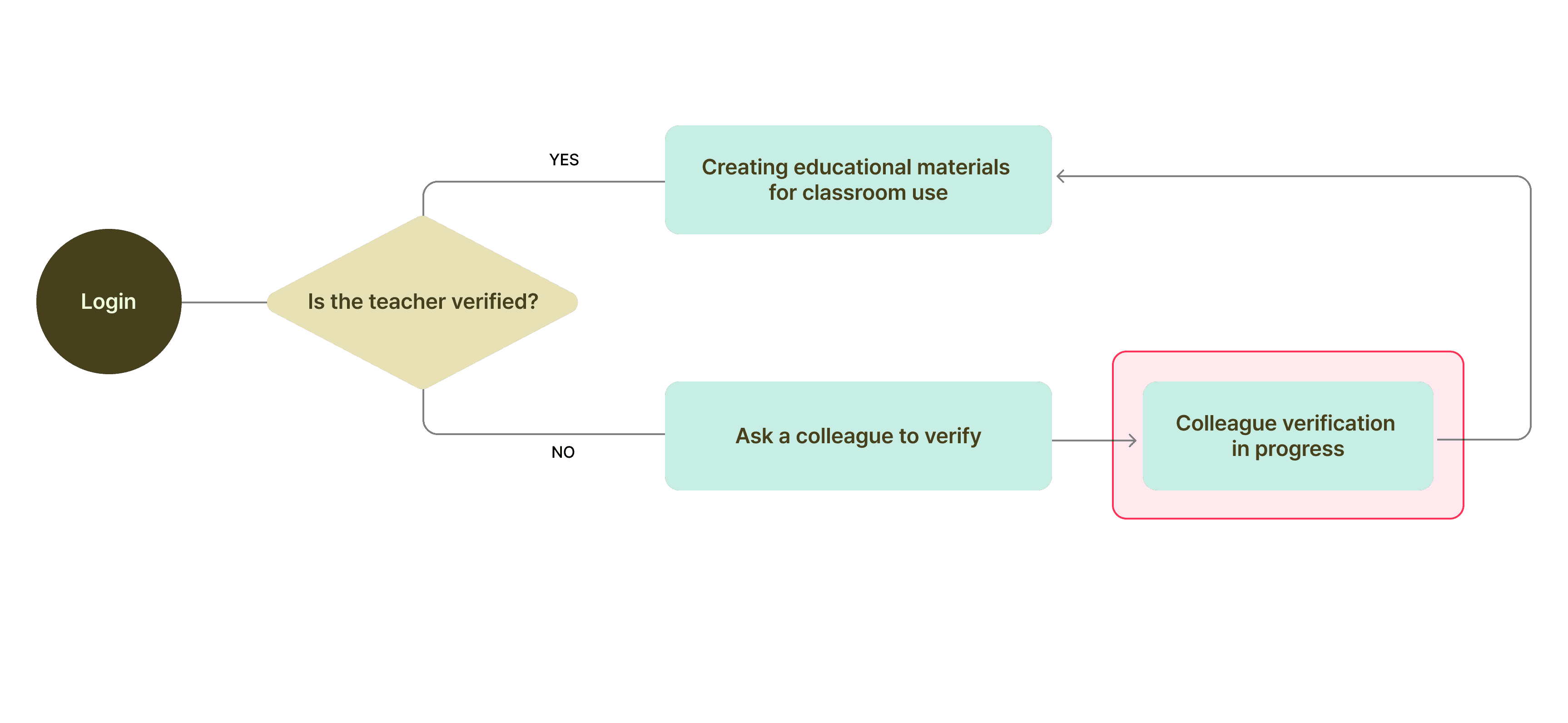
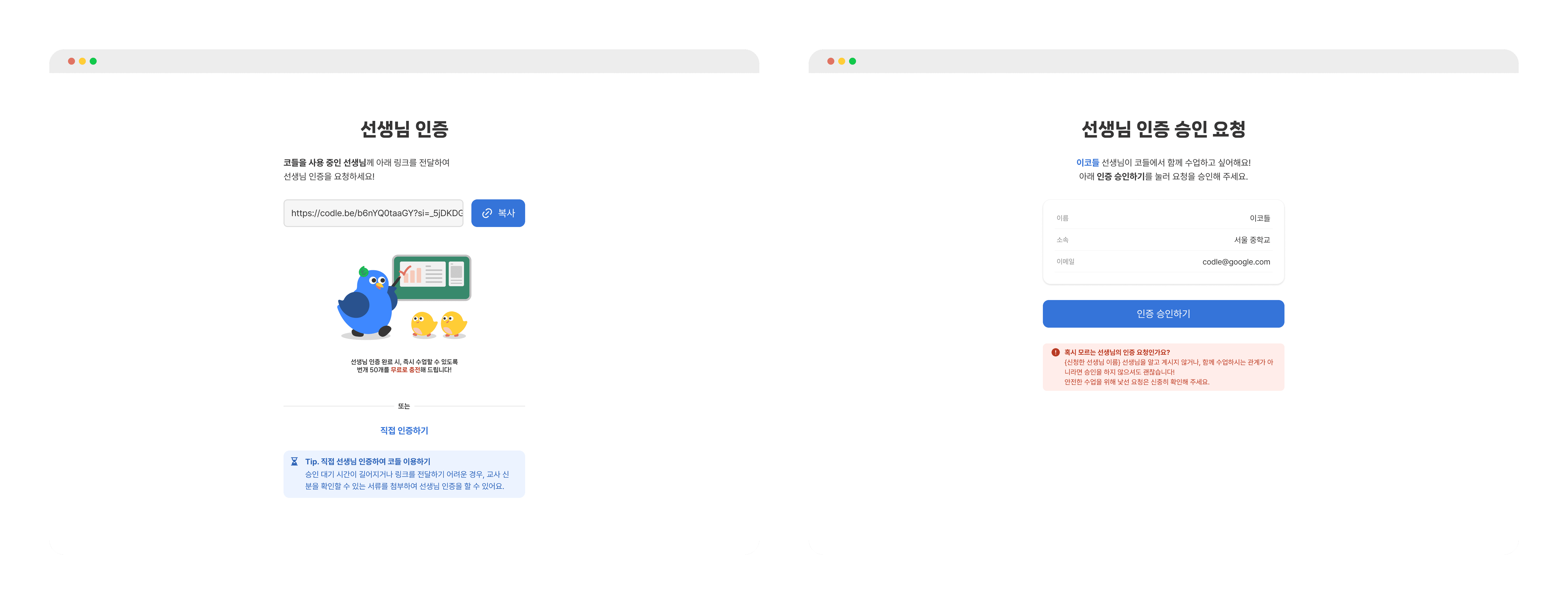
Analysis showed that over 80% of newly registered teachers in the past six months discovered Codle through other teachers. Based on this insight, we introduced a peer verification approach that allows teachers who have already completed verification to approve new teachers, enabling immediate access to the service.
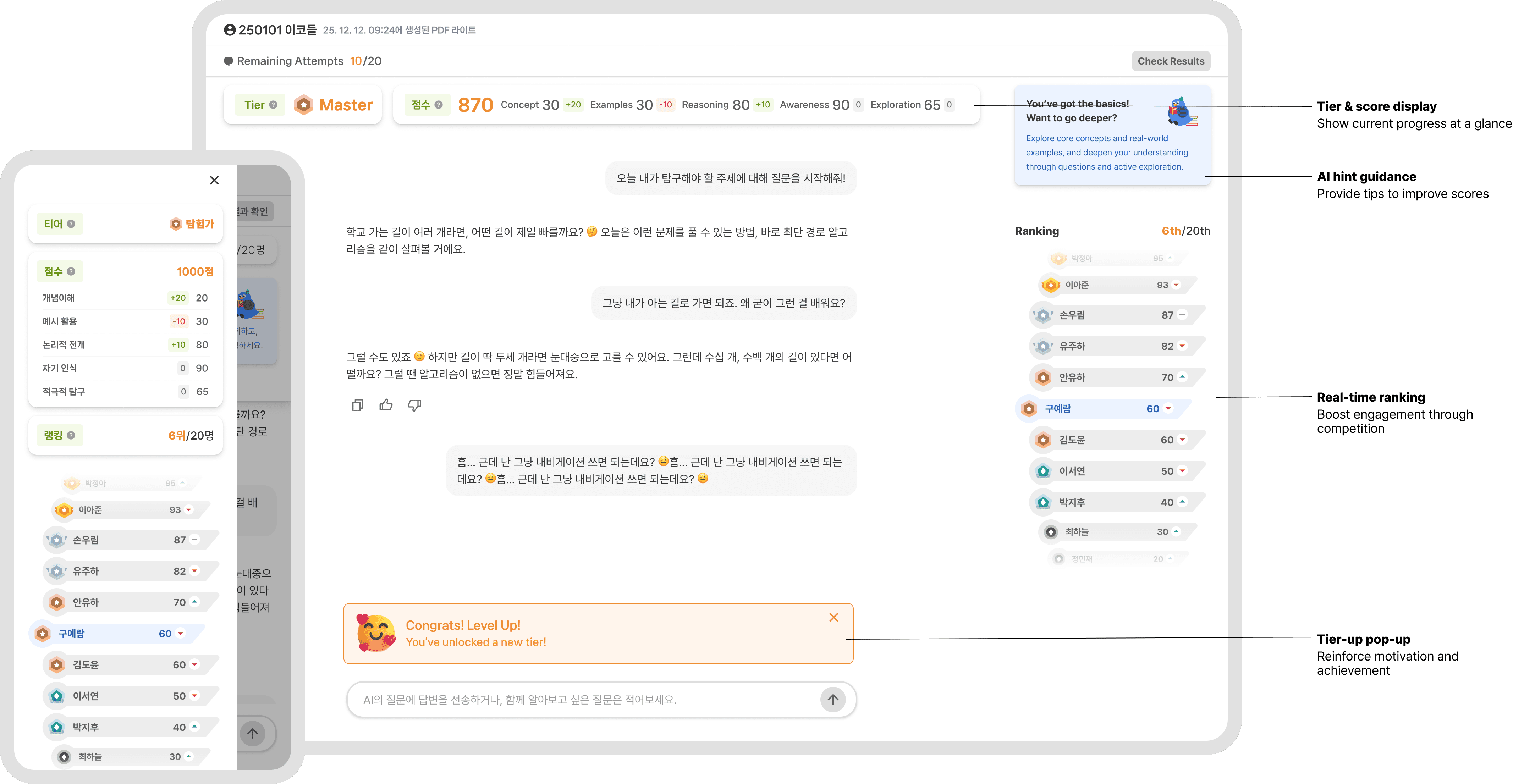
Increasing Student Engagement
via Mobile UX and Gamification
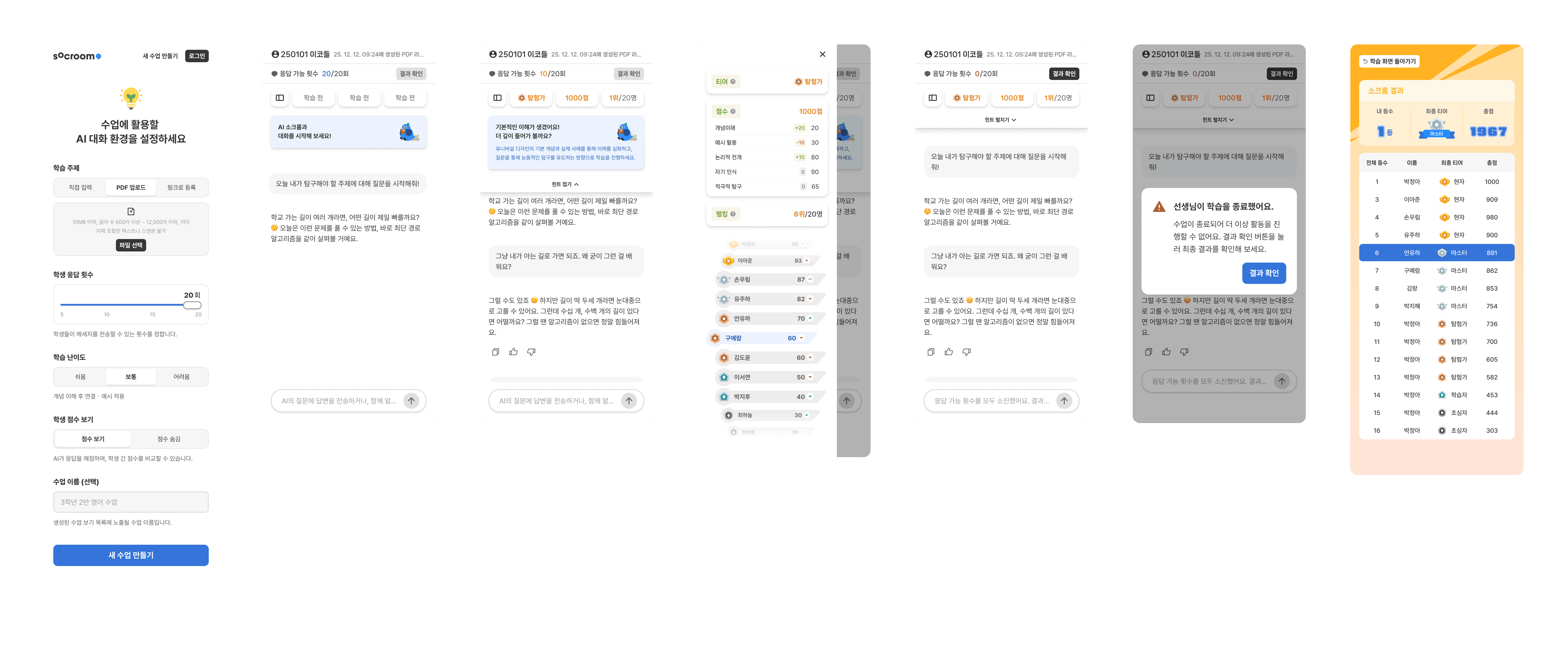
Based on the insight that students are more engaged when appropriate encouragement and rewards are provided, we introduced gamification elements and a mobile-friendly interface.
Although school-provided laptops were primarily used during class, situations where laptops were unavailable or uncharged occurred frequently. As a result, many students relied on tablets or personal mobile phones. To reduce participation gaps caused by device limitations, we expanded support for mobile environments.
Restructuring the Service
for Sustained Usage
Before
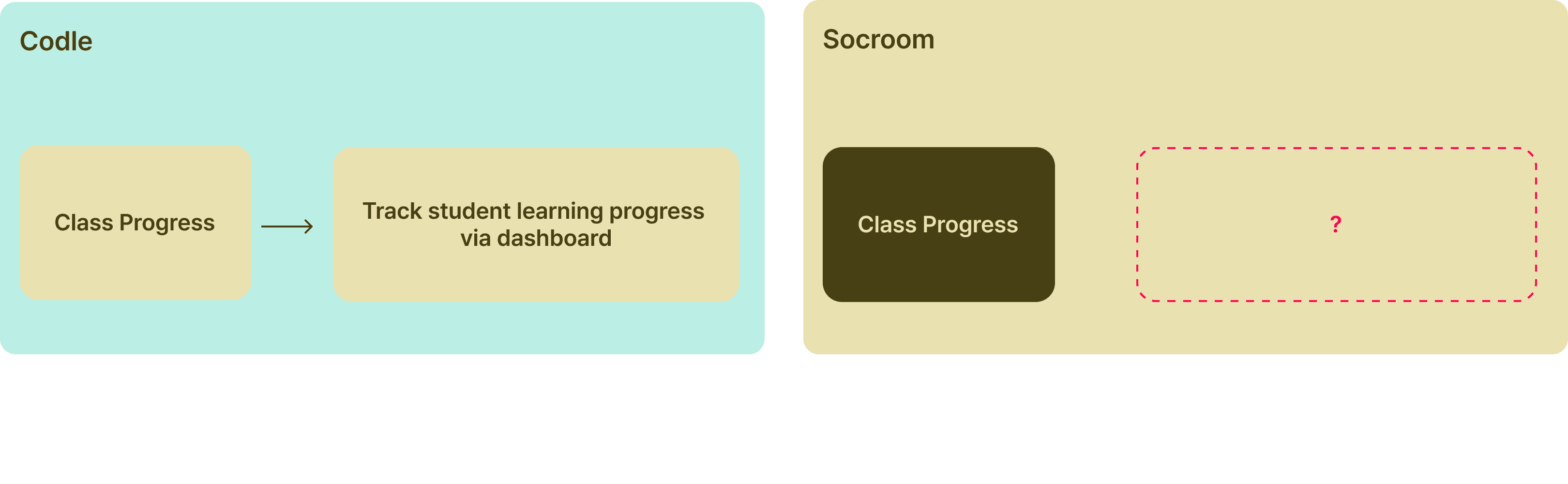
While Codle supported dashboard-based management of class results, AI conversational classes were not integrated, resulting in a fragmented teacher experience.
After
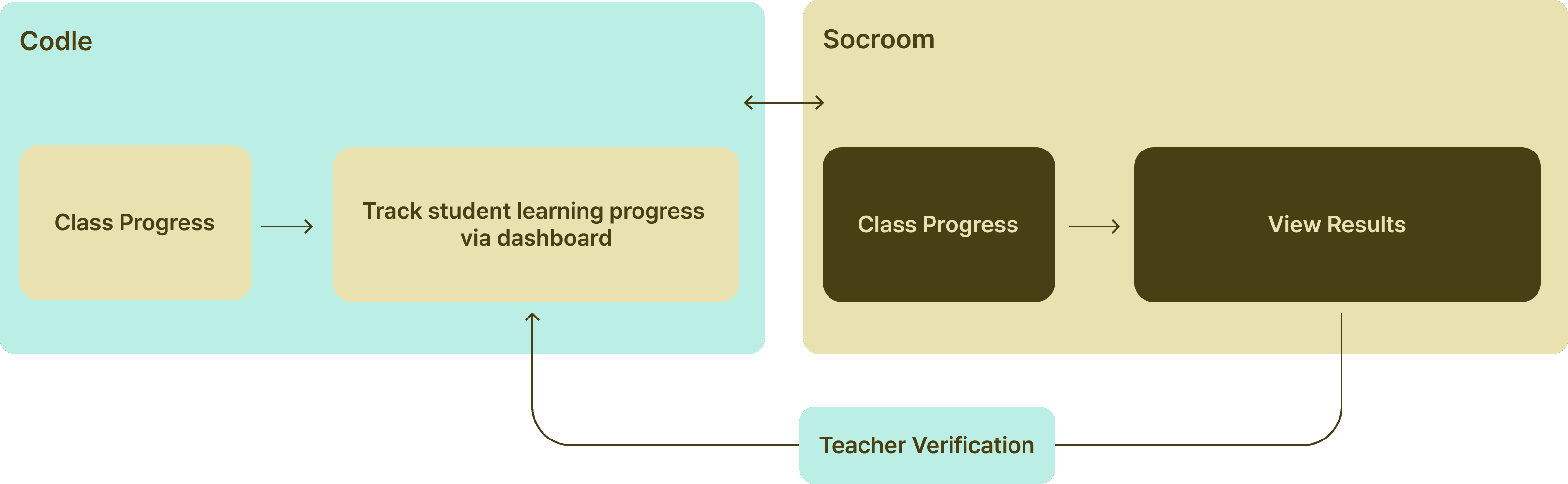
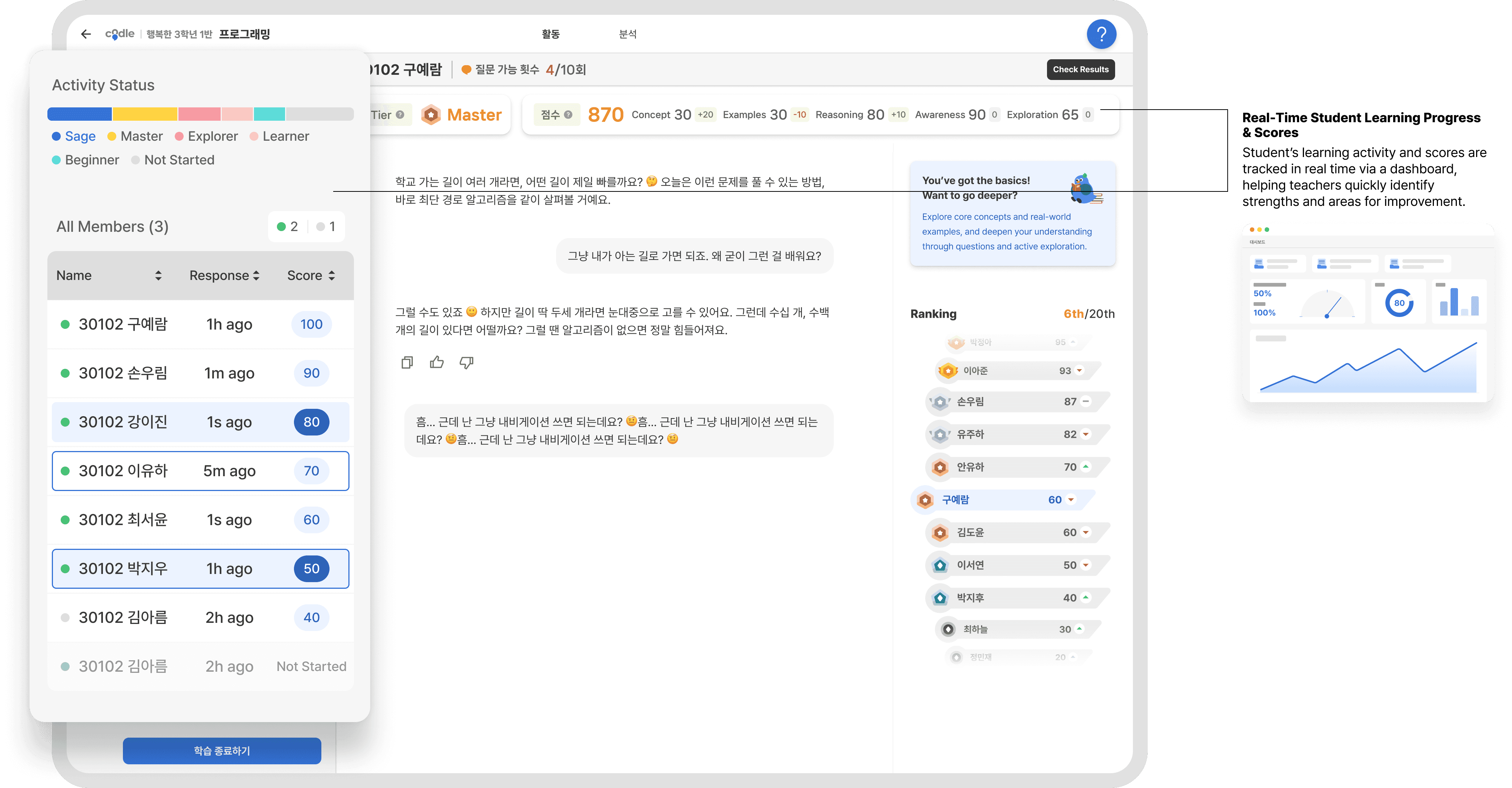
During class, the teacher-facing view enables real-time tracking of students’ learning screens, helping teachers provide immediate encouragement and feedback. All learning outcomes are recorded in a dashboard, with advanced features gated behind teacher verification. This design reinforces a clear business flow from teacher verification → core feature exposure → sustained usage.
Reflexction
The Importance of Structural Design in Time - Constrained Projects
In time-constrained projects, I learned that designing a scalable structure early on is more important than focusing on individual features or screens.
I focused on understanding users’ online and offline behaviors and reflecting those insights in the overall structure.
This approach helped establish a strong foundation that allows future features and improvements to evolve naturally over time.
Balancing User Value and Business Needs
Throughout the design process, I focused on what was truly essential for users, while being mindful of business needs at the same time.
Design decisions such as designing for mobile environments and simplifying the teacher verification flow improved the user experience, while also making the product easier for teachers to understand and explain when introducing it to others.
As a result, these choices not only enhanced the user experience but also supported sales and adoption from a business perspective.