Hwahae Design System
Hwahae is South Korea’s largest beauty data platform, offering ingredient analysis, review-based rankings, personalized recommendations, and integrated commerce features built on extensive user review data.
Overview
Hwahae has been operating for over 10 years, during which various services were introduced and retired, leaving significant legacy in both design and development code. As the company began expanding globally in 2023, we introduced a design system to clean up existing legacy and scale design and code.
Since this was the first time adopting a design system, we held company-wide sessions to share the direction the design system would take, which helped build alignment and support across the organization.
Discover
Identifying issues through interviews with the design and development teams
Define
Organized how the identified issues could be addressed and improved.
Design
Defined the design system process, restructured the design hierarchy, and validated the system.
Validate
Documented, implemented, rolled out, and continuously improved the design system through adoption and usage.
Discover & Define
What issues did you encounter in the existing workflow?
Provlems to Solve
Define a clear foundation for product design and establish a design system that enables everyone to approach the product with a shared understanding and consistent standards.
Create an environment where all designers can work with consistency as if the product were designed by a single person, by providing components, UX writing, interaction, and behavior guidelines.
Reduce repetitive work, communication overhead, and QA rework so teams can focus on product experimentation and validation.
Bridge the gaps between platforms and design outputs to ensure users perceive a consistent experience across all platforms.
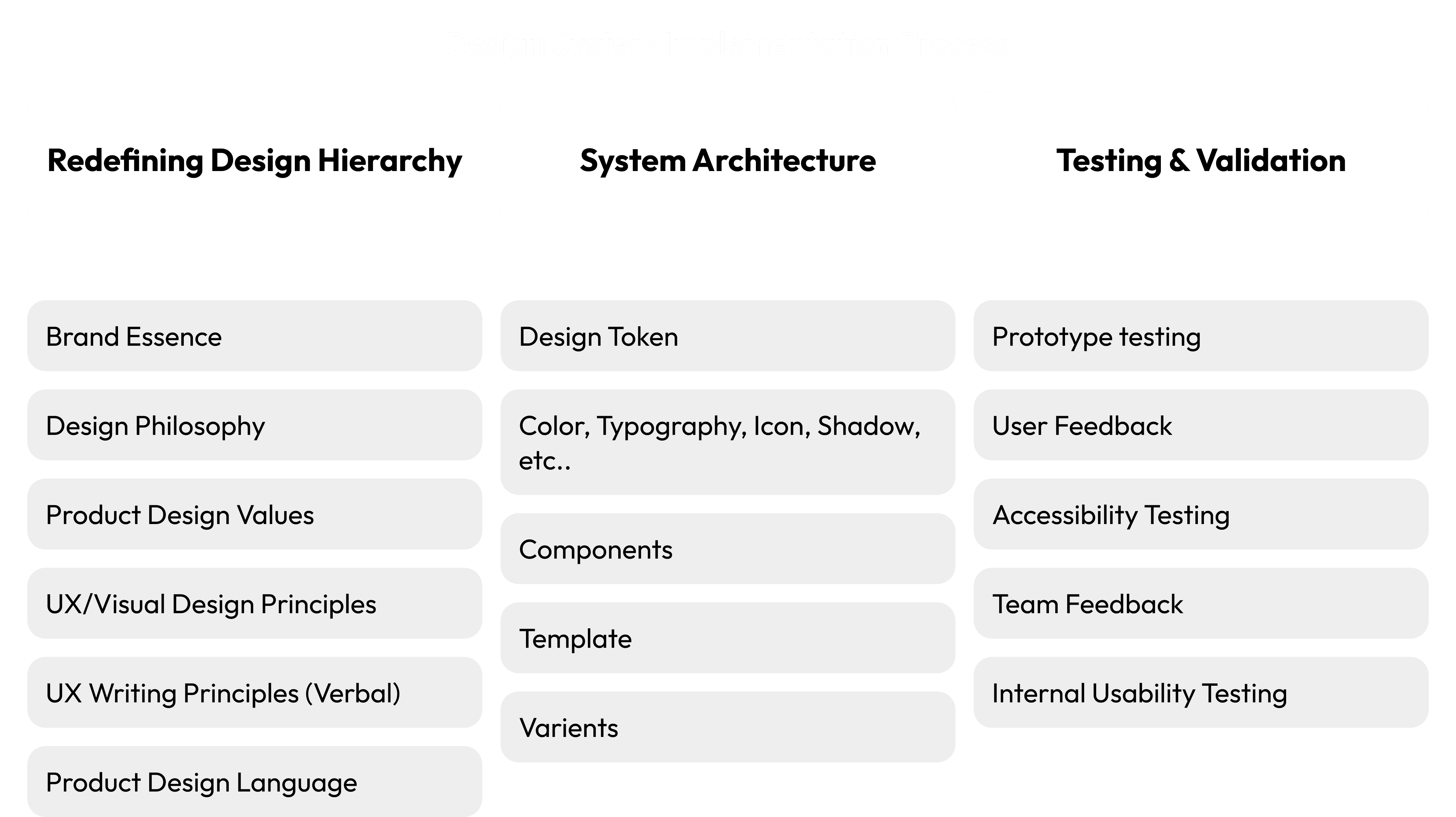
Design System Implementation Processfine
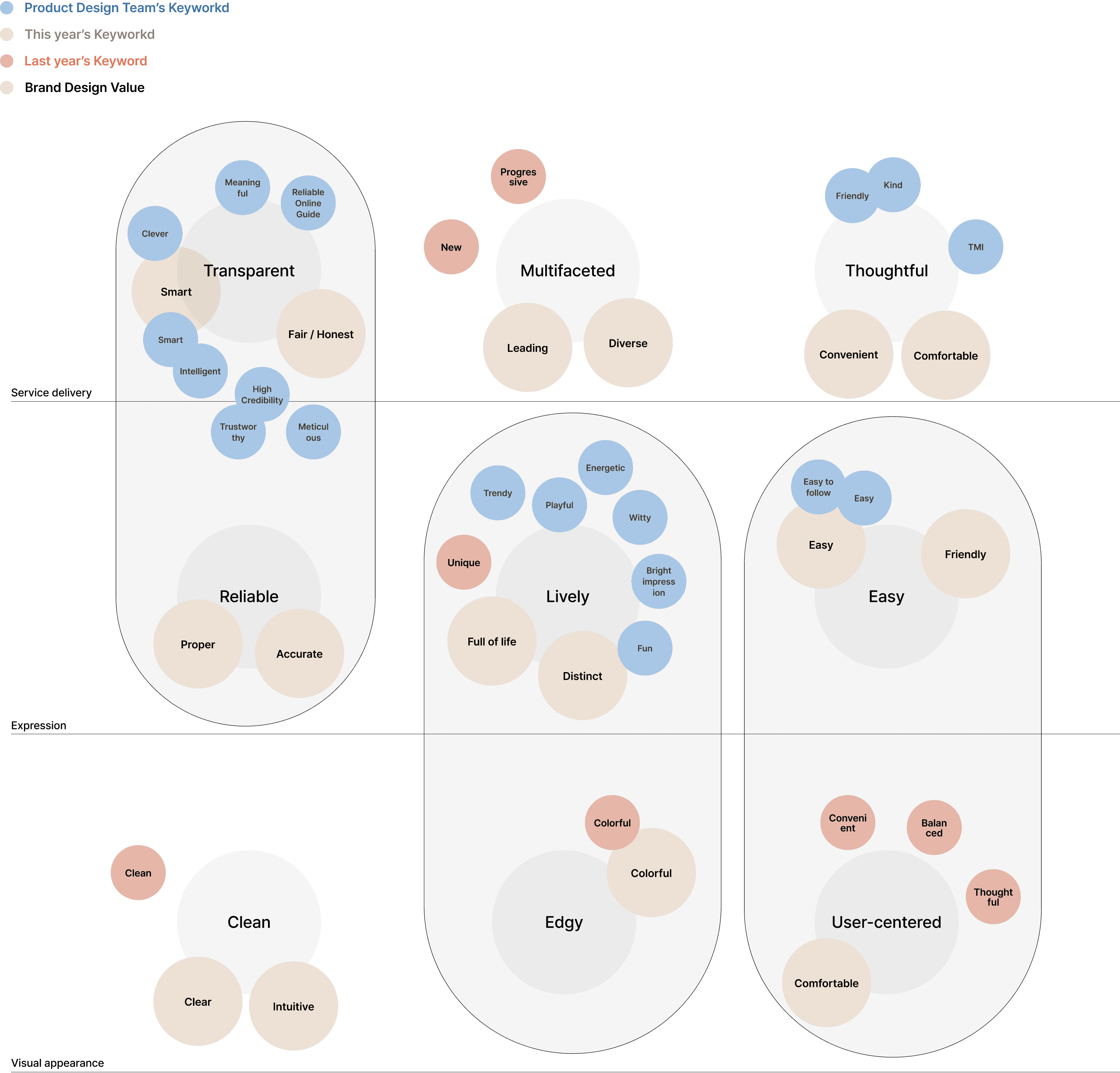
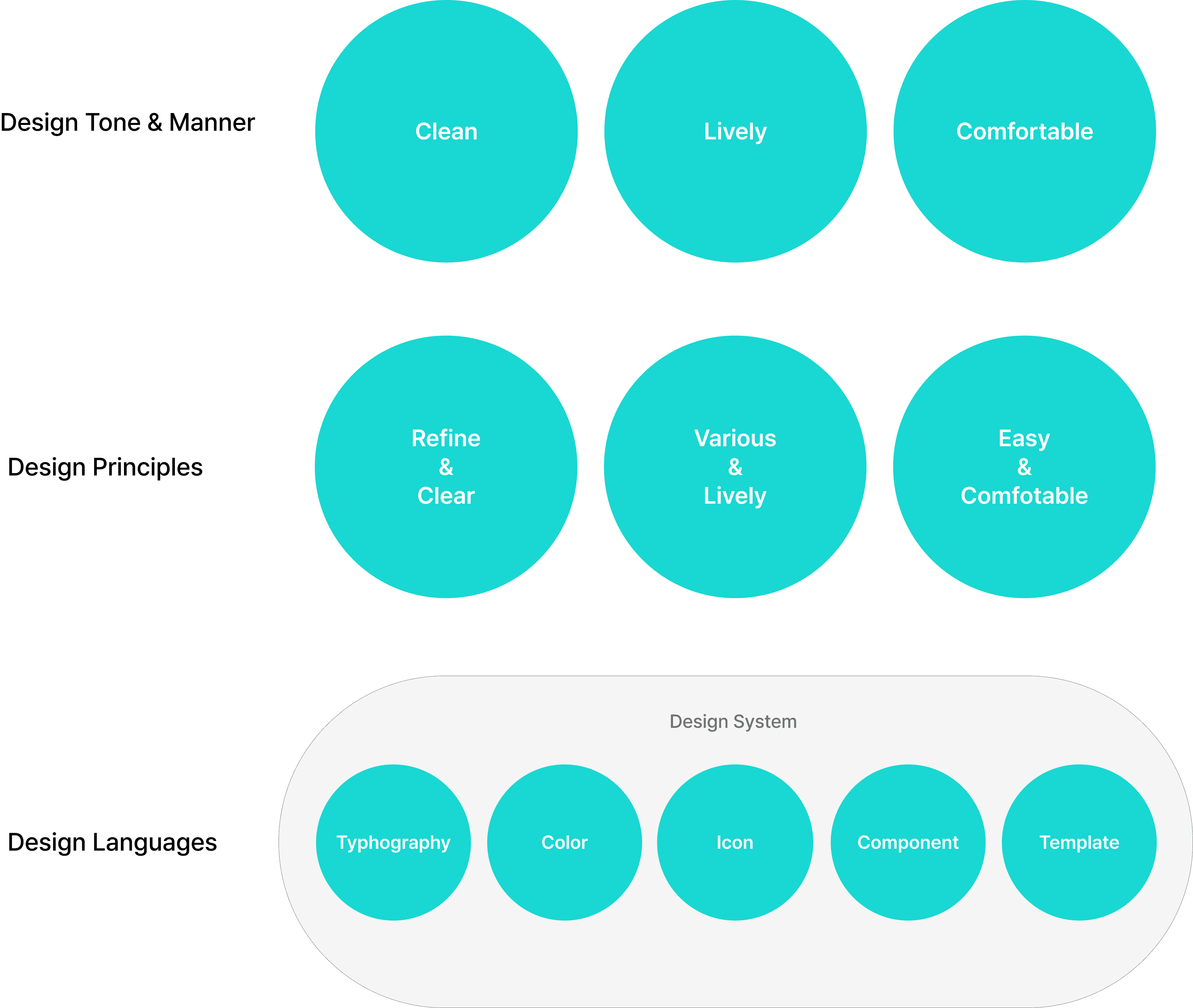
To ensure that all team members share the same goal, we established a hierarchical structure that systematically defines how the product should be viewed from the perspectives of business, branding, and product design, and how core values should be reflected.
This approach helped each team member clearly understand their role and guided them to develop the product in a consistent direction aligned with the goals.
Ultimately, this process contributes to ensuring a consistent user experience.
Brand Essence
Product Visual Design
Design Hierachy
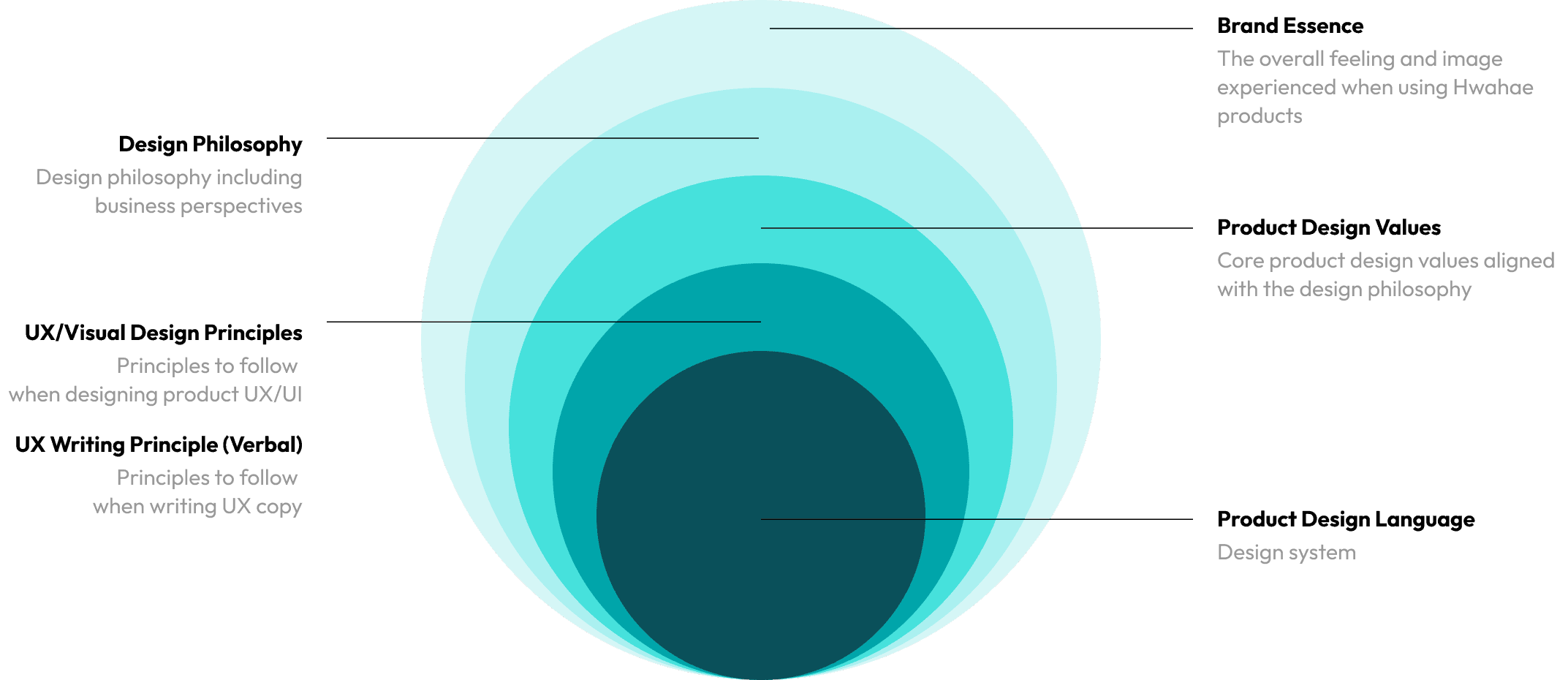
HDS structure
The design system starts by creating an atomic unit of the Foundation, followed by defining smaller units as Components. These components are then combined to create Templates. Both Components and Templates are defined as "components" in the system.
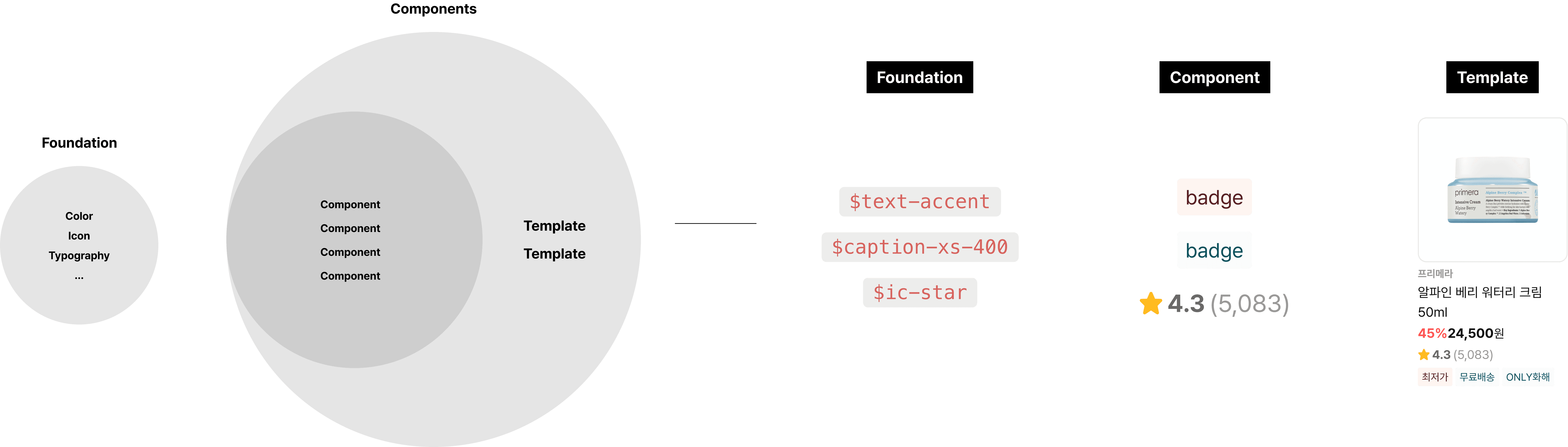
Foundation
Basic & Token color palette
The color system was developed in collaboration with the BX team to enable consistent color usage across both online and offline touchpoints. To ensure readability and accessibility, primary colors were tested for contrast in accordance with WCAG standards. Based on this, a color token system was established by assigning colors according to their intended purpose, resolving issues caused by multiple colors being used for the same function.
Main/700
#00A5AA
rgb(0, 165, 170)
hsl(182, 100, 33)
Text/mint-primary
Background/mint-primary
Icon
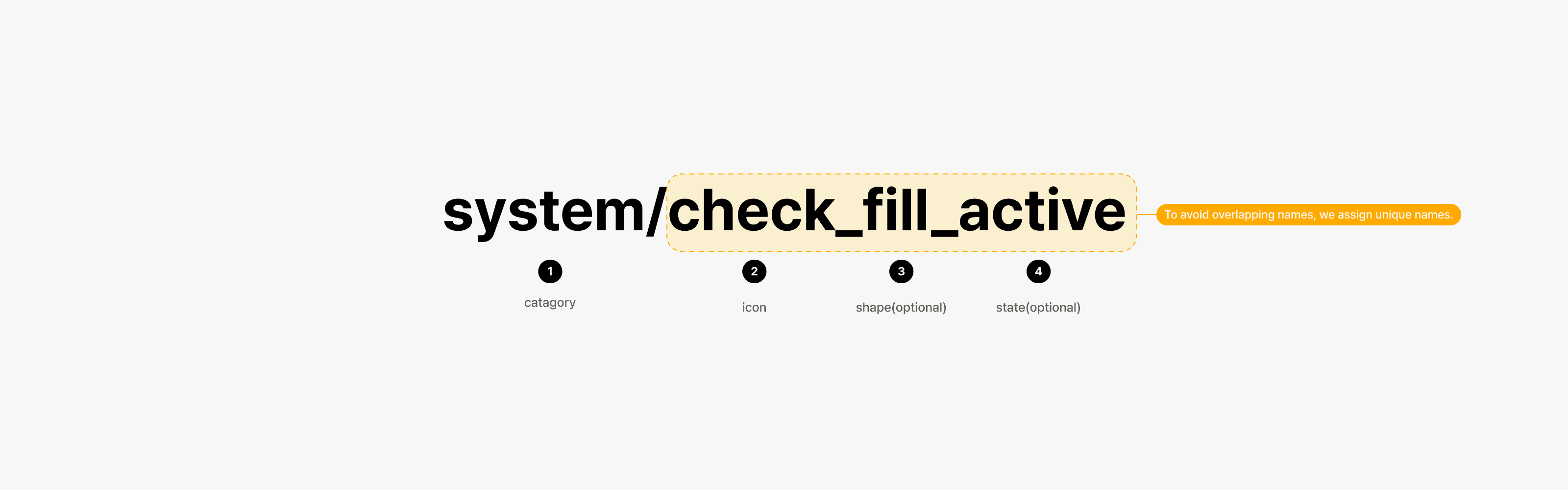
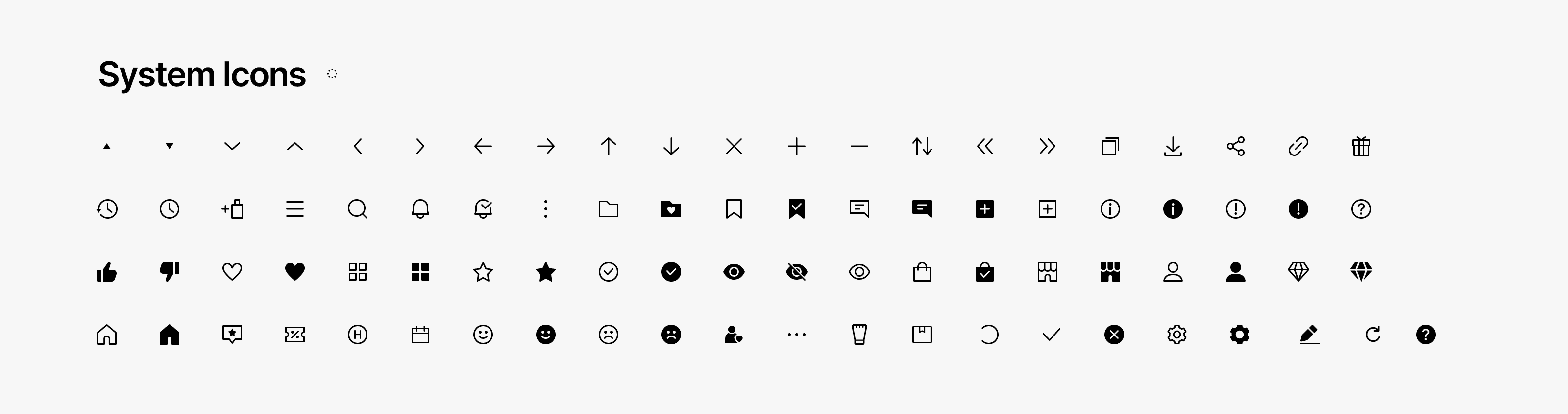
The icon naming guide is structured by category, icon name, shape (e.g., border or filled), and state. This format allows us to consistently cover all icon variations.
All icons are created as a single vector shape to remove unnecessary icon layers. By minimizing excess elements, we ensured a clean structure with attention to detail.
Typography
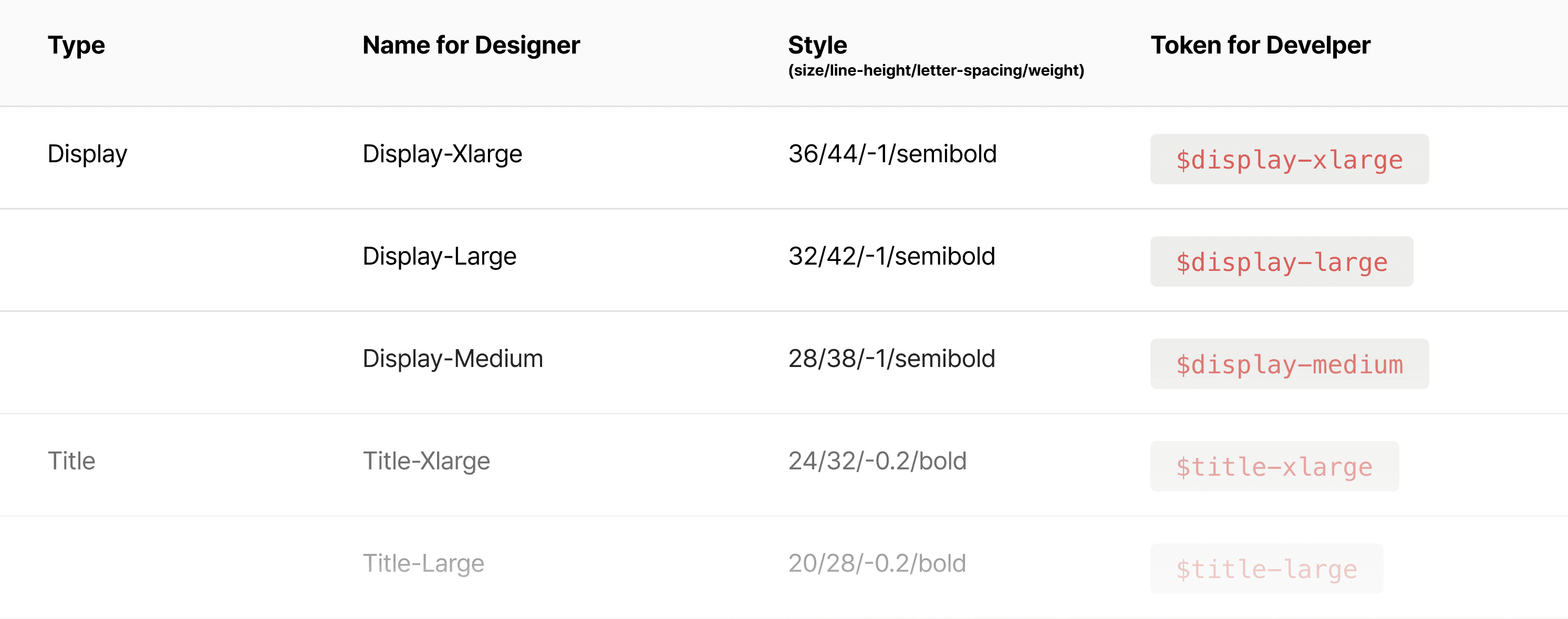
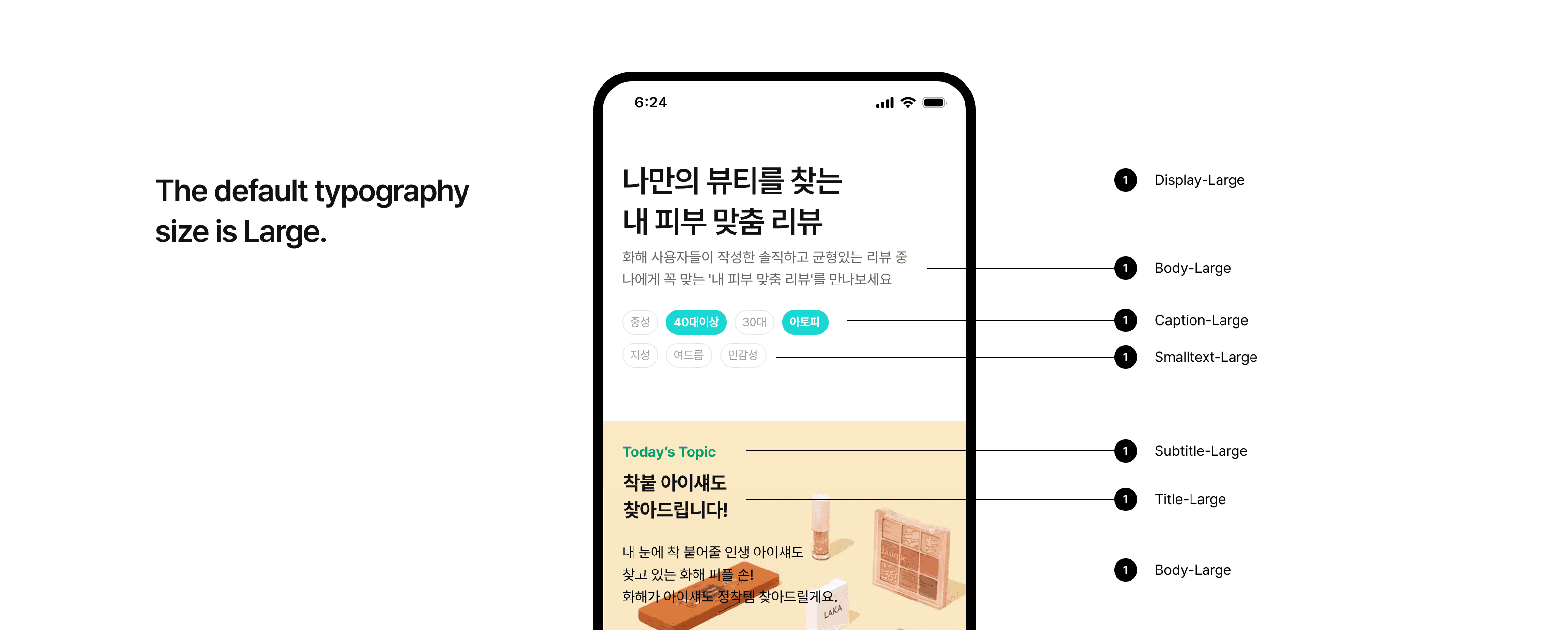
We standardized typography style names so that designers and developers use the same terminology, and provided clear usage examples for both sides. The examples include guidelines to ensure text alignment is not arbitrarily changed in both single-line and multi-line use cases.
Given the large scale of the service, we defined a wide range of text sizes and included appropriate usage examples for each. Since typography styles are defined for various use cases, the system is designed to allow tracking of usage frequency, making it possible to consolidate or replace rarely used styles in the future.
Radius
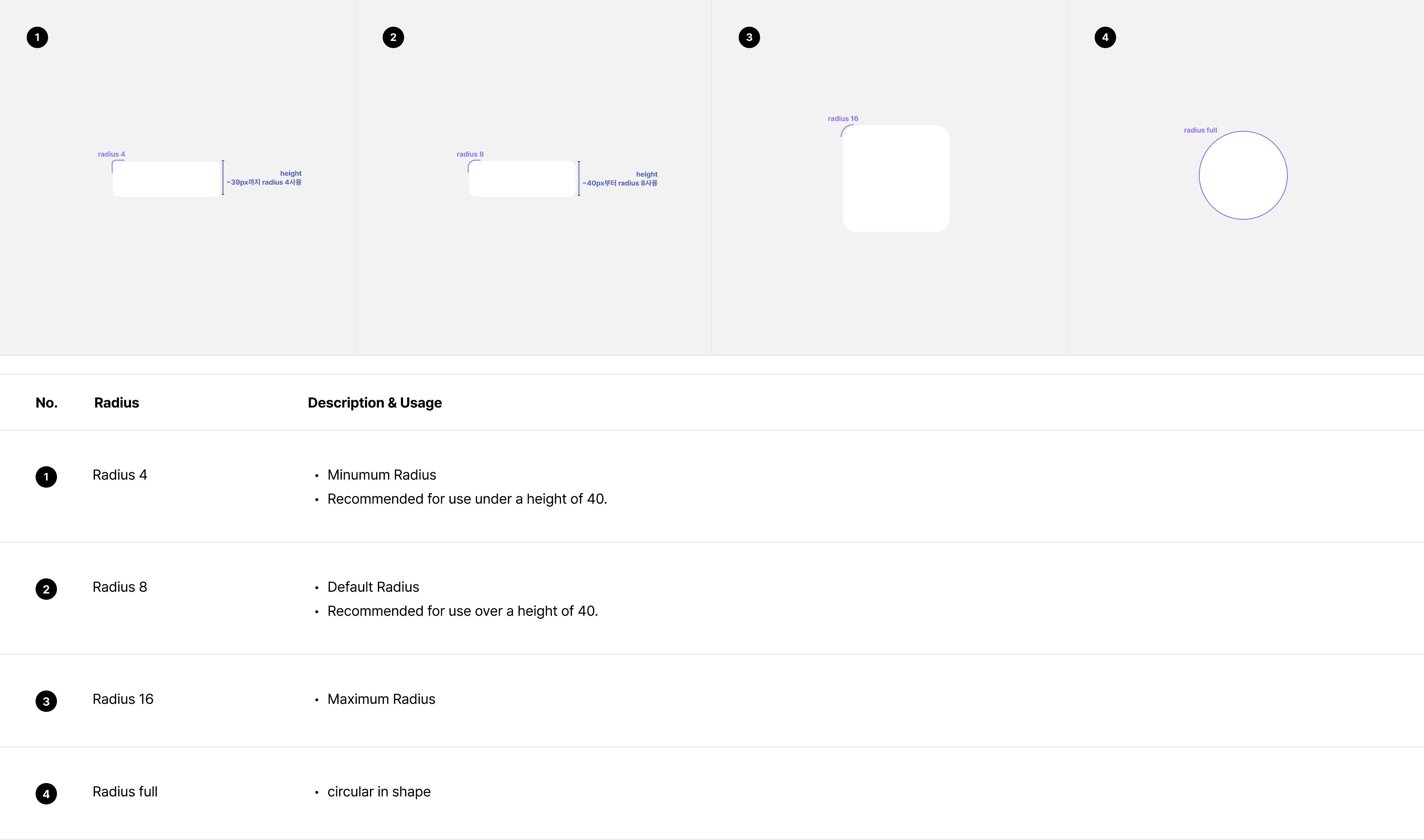
To create a lively visual experience, we use radius as a design element and provide clear guidelines to ensure it is applied in a balanced way - neither excessive nor insufficient.
Shadow
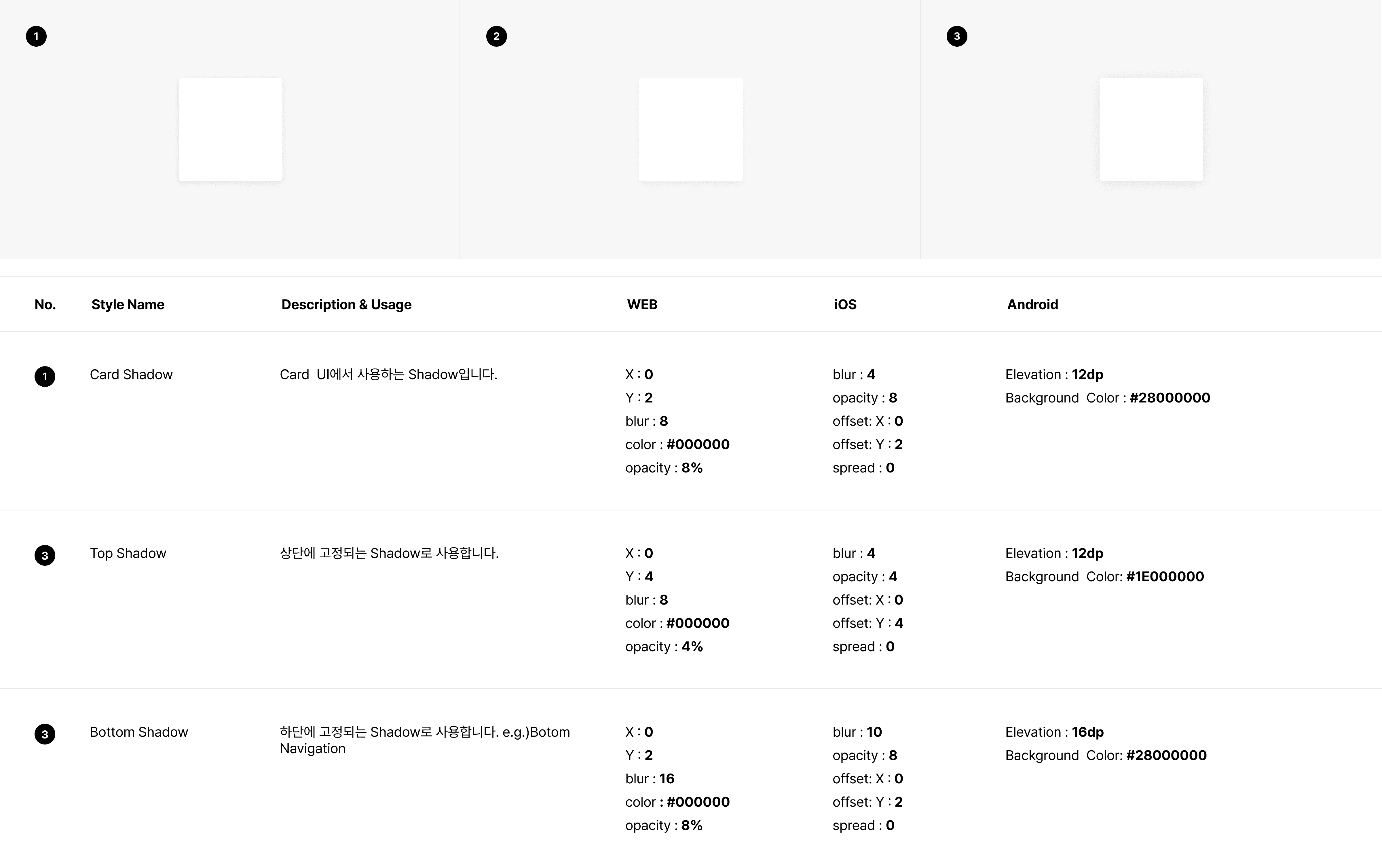
To maintain a clean appearance, we avoid using excessive shadows.
Shadows are adjusted to ensure the final result delivers a consistent visual impression across platforms.
Components
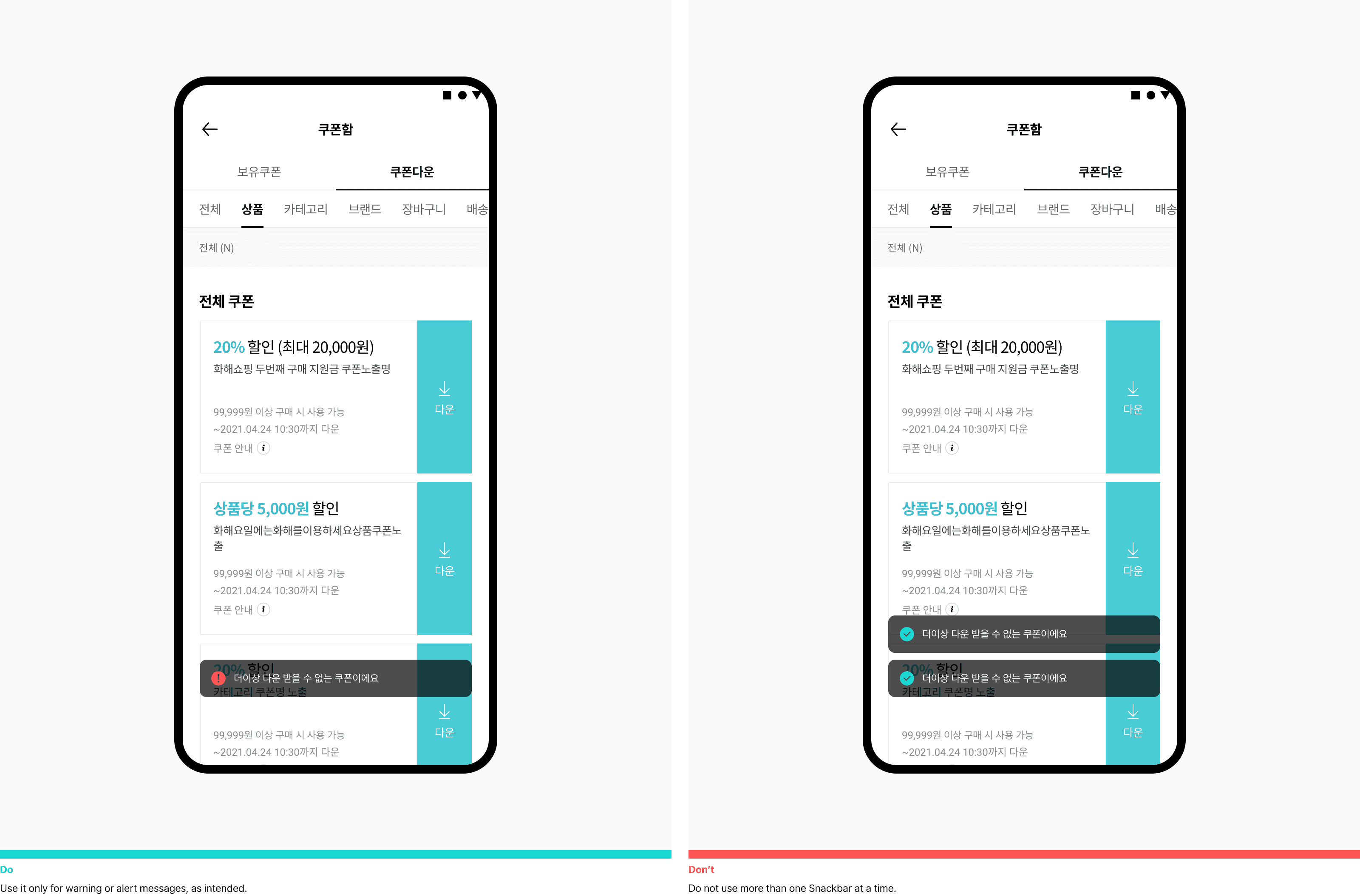
Components are built based on the atomic-level Foundations defined earlier. For example, a Snackbar is composed of elements such as spacing, text, radius, and button - each designed using Foundation tokens. To maintain consistency between iOS and Android, we provide platform-specific usage guidelines, along with interaction guides to ensure a unified experience across all devices.
In cases where multiple temporary layers (like Snackbars or Toasts) appear on the same screen, we also provide guidance on which layer should take priority and appear on top. UX writing is defined in line with the previously established product design principles, and we provide direct links to the guidelines within Figma to ensure easy access during actual design work.
Interaction
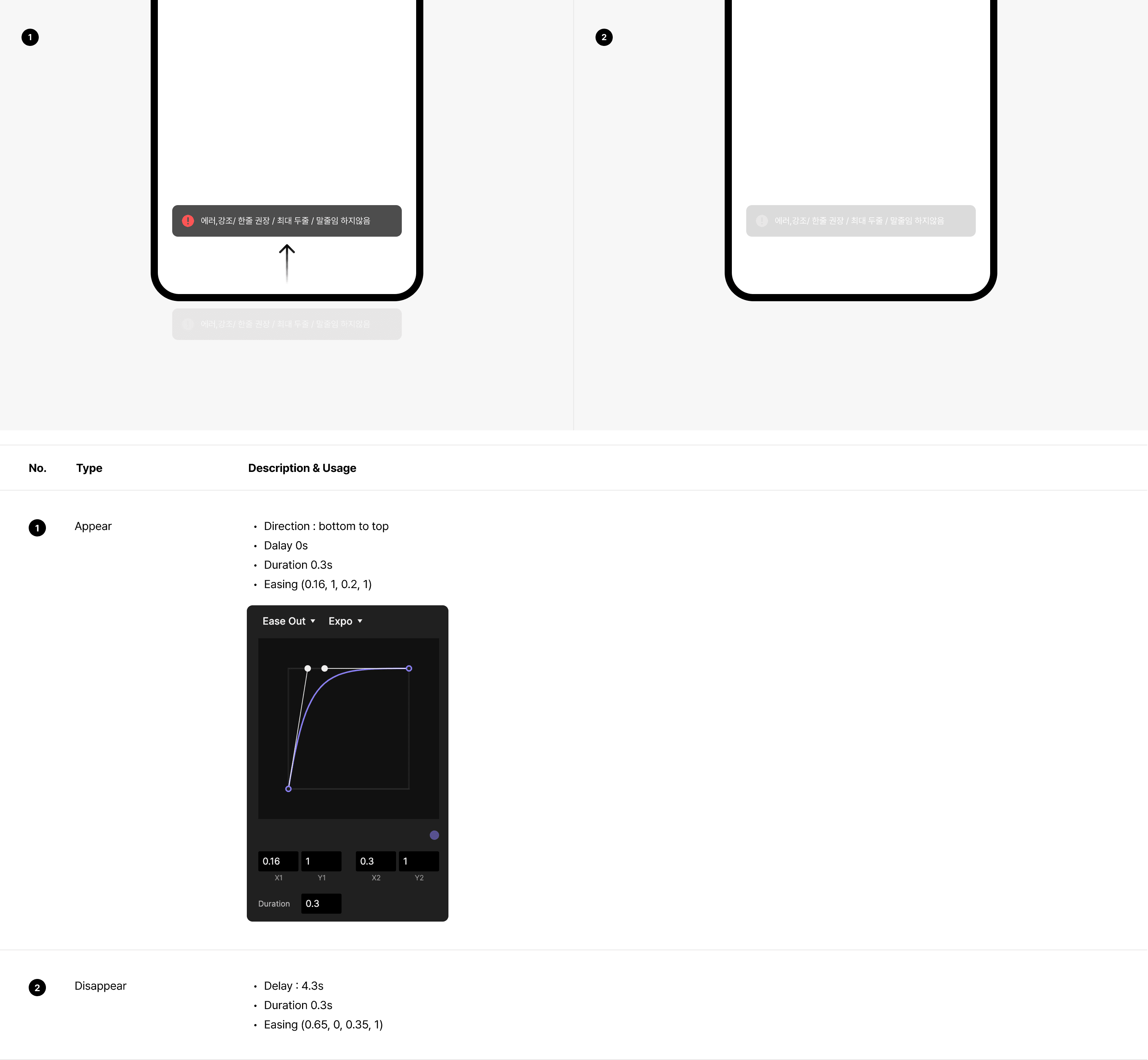
To ensure a consistent experience across all platforms, we defined appear and disappear interaction guidelines, enabling uniform behavior regardless of platform. This approach delivers usability aligned with the brand definition.
Behavior
Behavior guidelines were added to all components, clarifying interaction patterns and state changes. This reduced ambiguity between design and development, improved implementation consistency, and strengthened the scalability and reusability of the design system.
UX Writing
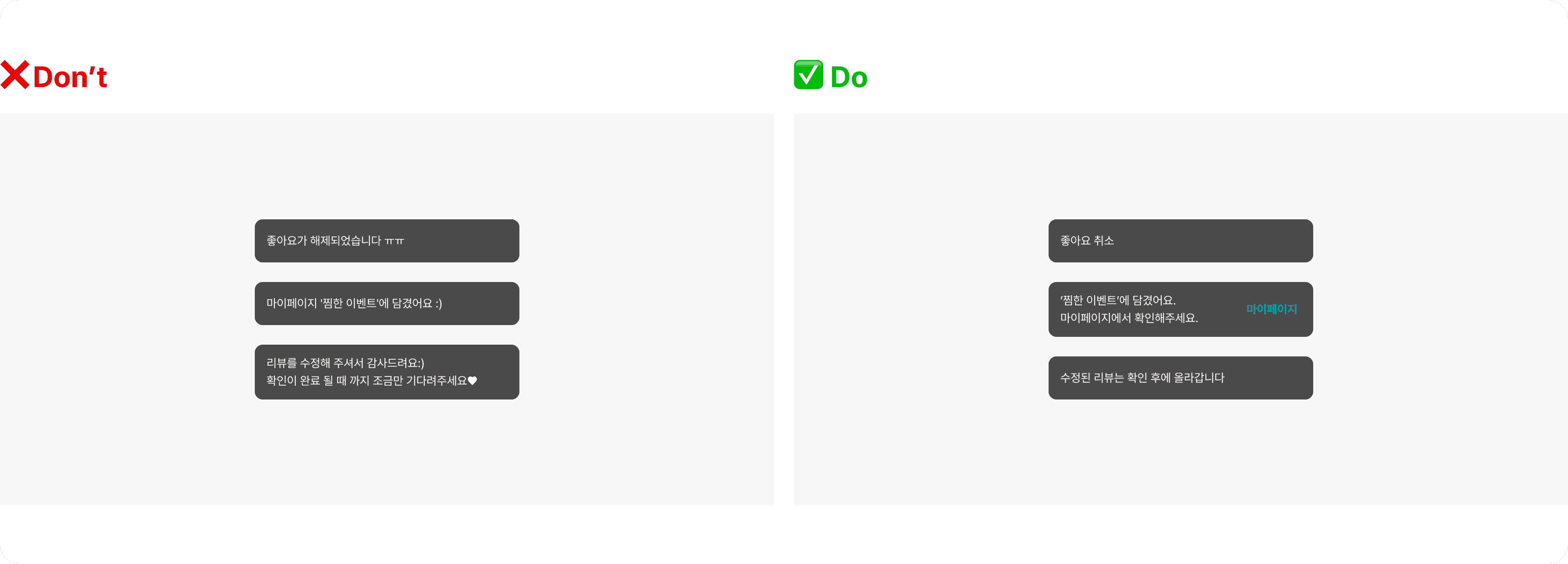
UX writing guidelines were defined to reflect the intended product tone and to clearly communicate errors, warnings, suggestions, and informational messages, helping users understand context and take appropriate next actions.
Layer Priority Guideline
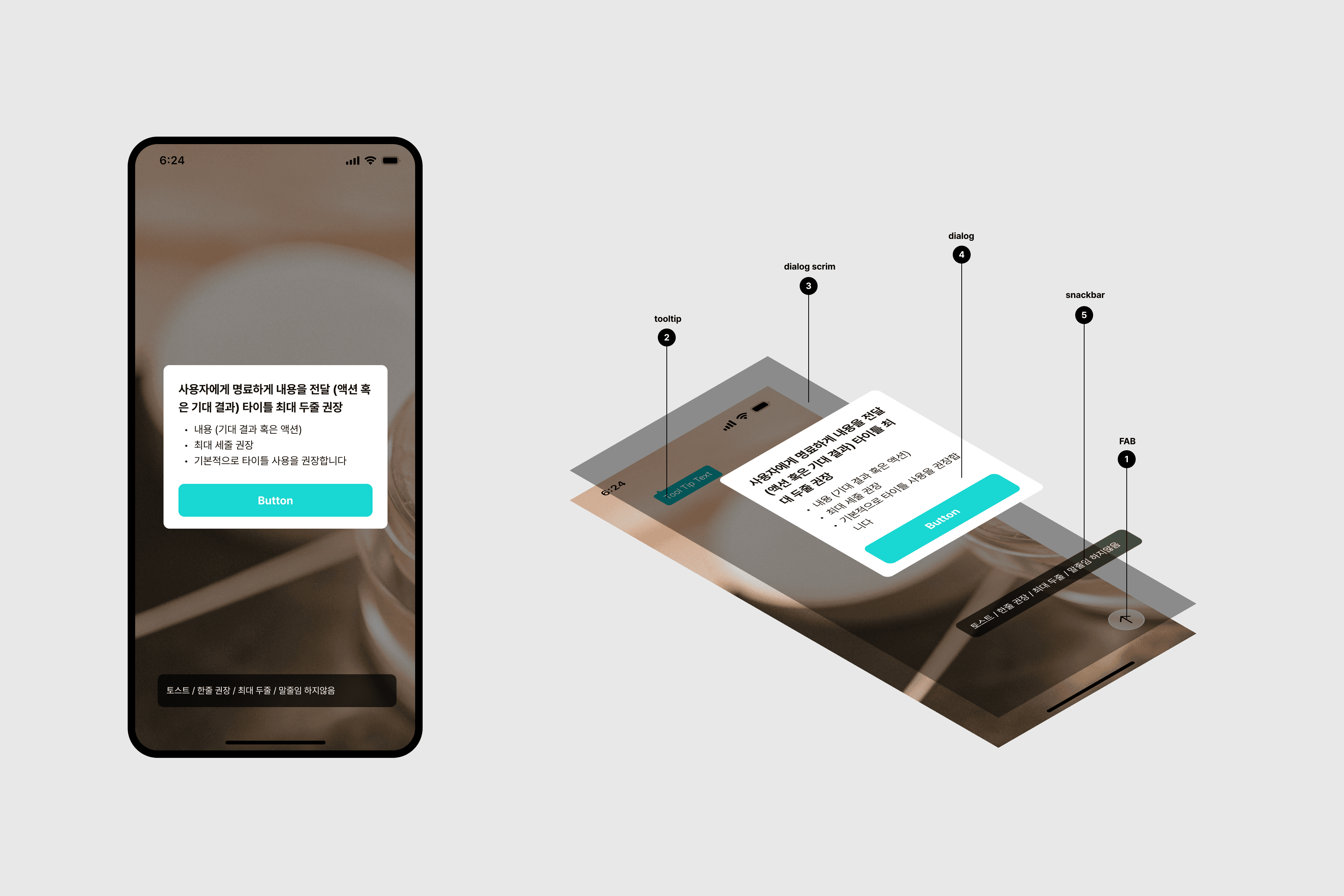
When multiple situations occur on a single screen, layer priority guidelines were defined to ensure that the most critical information is presented first, reducing visual confusion and supporting clear user decision-making.
Template
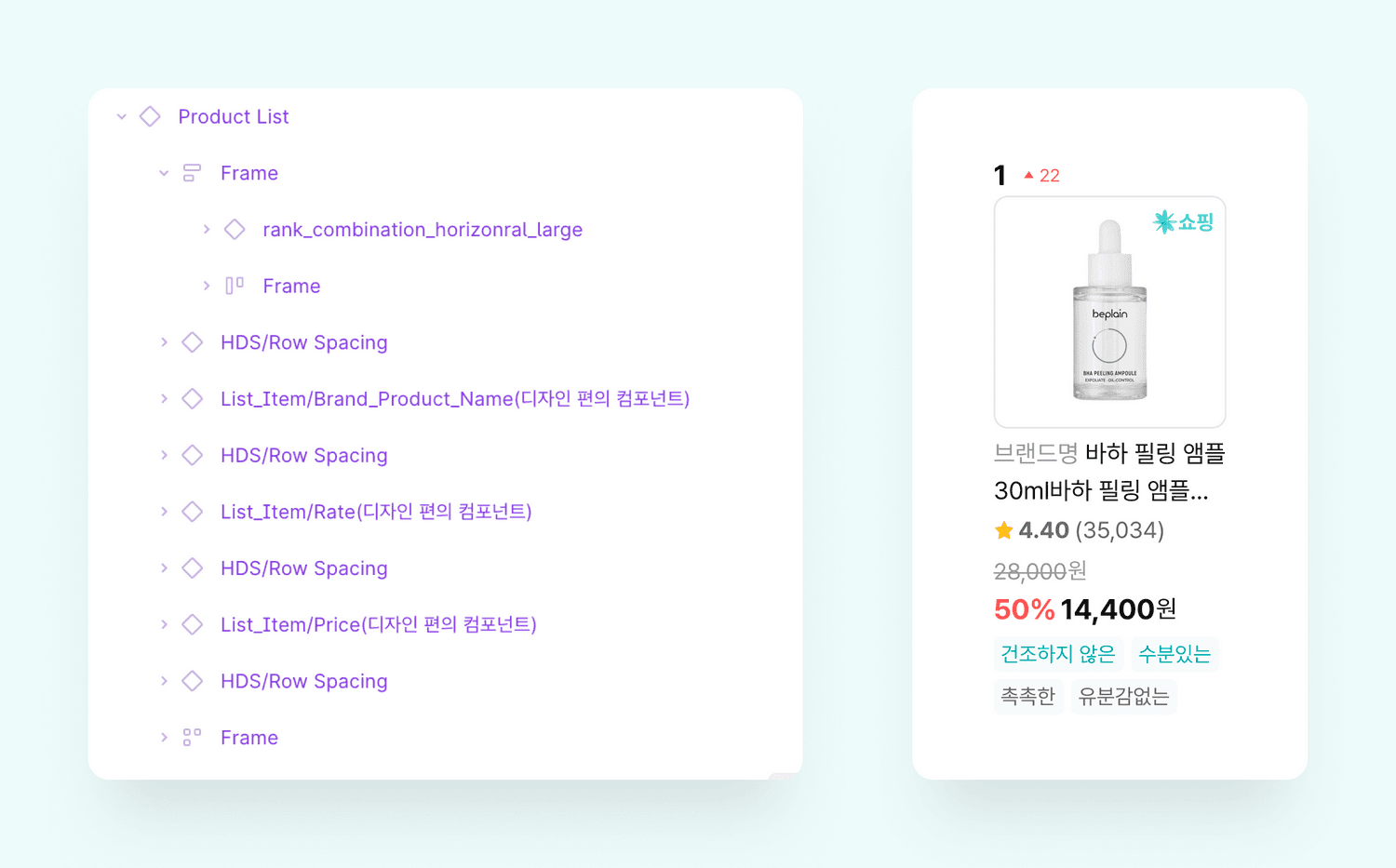
The Template is built as a modular component and is designed to be easily modified or extended using variants. It is used across various pages, and each team can adapt it according to their specific goals. For example, it can be configured to highlight pricing, focus on ingredient information, or indicate whether the product is available for purchase within the Hwahae platform.
Impact & Metrics
Components are now organized in one design system, so it’s easy to find and reuse what other teams have built.
Product designer
I can spend more time thinking about UX instead of rebuilding UI. More templates would be great.
Product designer
Using the same components for the same features reduced inconsistencies and made the experience more consistent.
iOS developer
Design and development are much better aligned, so it’s clear which version is correct and QA is easier.
QA engineer
UX writing guidelines help me use a consistent tone without overthinking each message.
Product designer
Clear interaction rules between iOS and Android removed confusion around platform differences.
QA engineer
The system feels closer to our brand direction, and teams now speak with one voice.
Brand designer
App and web components are aligned, reducing gaps and making maintenance easier.
Front End developer
Metric
+0
+0
Variants
-0%
-0%
Design time per screen
-0%
-0%
QA feedback cycles
0%
0%
Component reuse rate
Other Projects